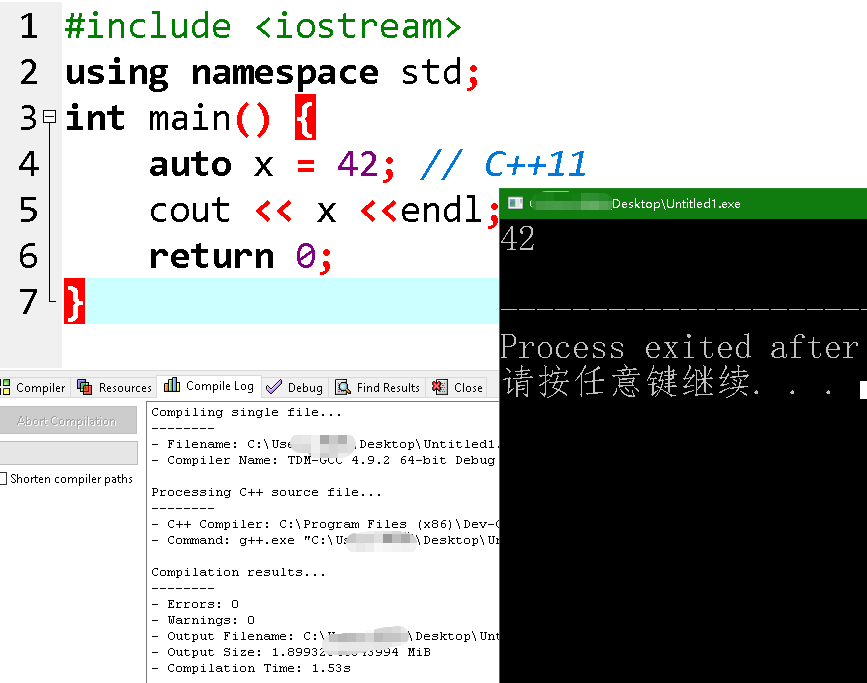
How to enable C++11 support in DEV-C++
DEV-C++ enables C++11 by default; manual configuration for C++11 support is required.
A relatively newer version of DEV-C++ is recommended.
Download link for DEV-C++ 5.11:
Dev-C++ download | SourceForge.net
Let's open Dev-C++, and create a new C++ code file.
#include <iostream>
using namespace std;
int main() {
    auto x = 42; // C++11
    cout << x <<endl;
    return 0;
}
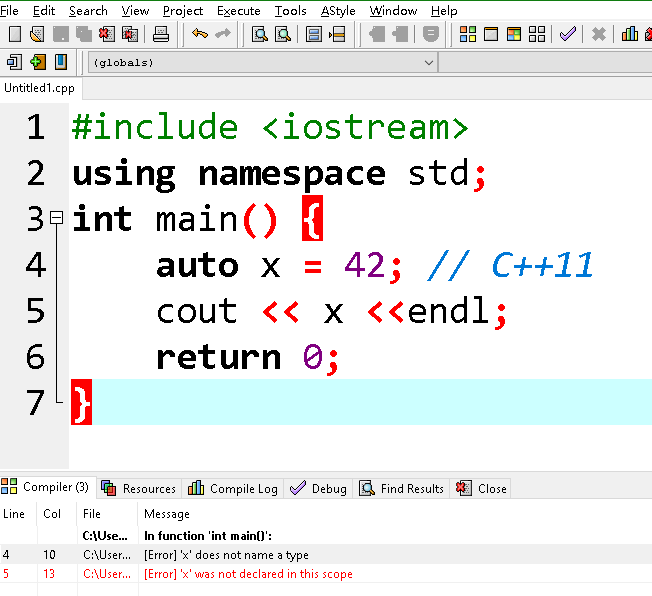
This code will cause errors in compilers that do not support C++11.
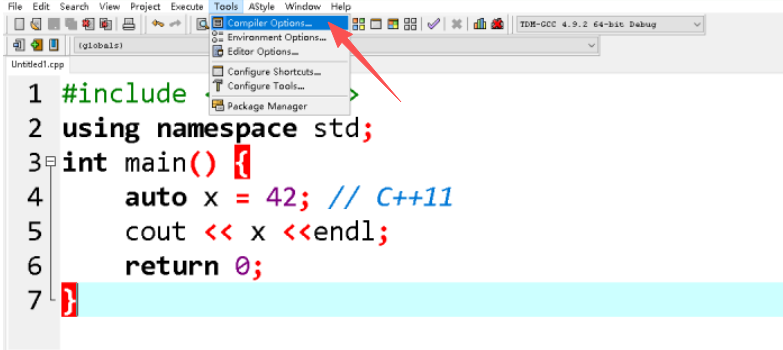
To enable C++11 support, click on 'Compiler Options' in the 'Tools' menu.
First, check the box for "Add the following commands when compiling".
Then, enter the following in the box below:
-std=c++11
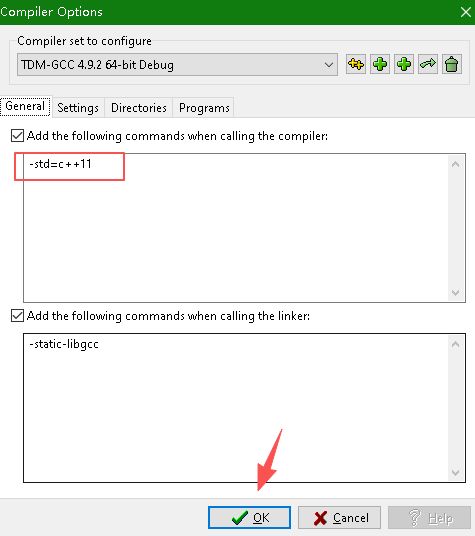
Then, click OK and recompile/run the program. You will see that C++11 is now supported.